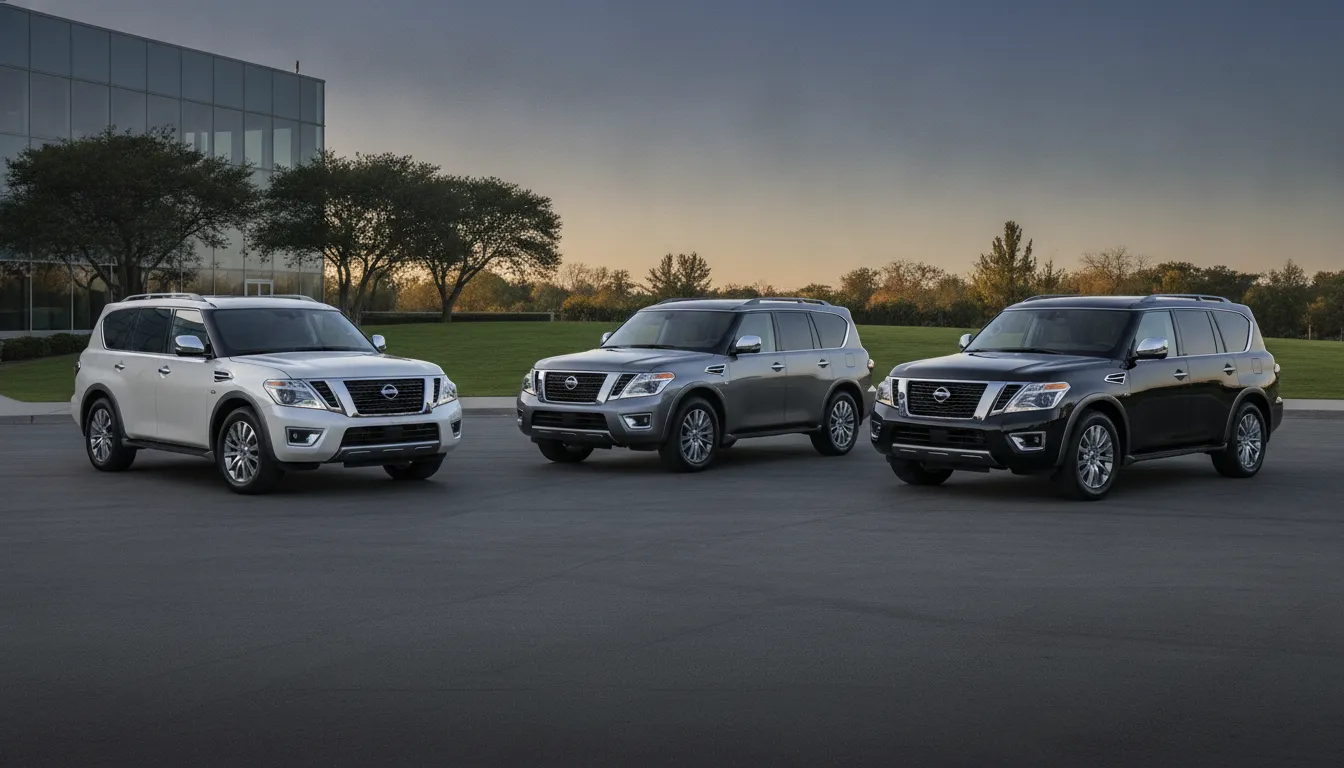
The Nissan Armada is built for drivers who want one vehicle to handle busy weekdays and memorable weekends. Its three-row cabin gives families room for passengers, groceries, sports gear, and luggage. Its twin-turbo V6 provides the strength needed for highway travel, hauling, and towing, while available off-road equipment adds capability for desert trails and unpaved roads. Nissan offers the Armada in trims ranging from the practical SV to the luxury-focused Platinum Reserve, with the PRO-4X serving drivers who spend more time beyond paved streets. Before visiting Mojave Auto Group, learn what separates each Nissan Armada trim and which features match your routine.
Key Takeaways
- Match the trim to your routine: Choose the SV for everyday value, the SL for added technology, the Platinum trims for premium comfort, or the PRO-4X for frequent trail driving.
- Review capability and equipment carefully: Confirm the Armada’s drivetrain, seating layout, towing hardware, cargo space, safety features, and tire setup before purchasing.
- Budget for ownership beyond the sticker price: Include destination charges, taxes, fees, financing, premium fuel, insurance, maintenance, and trade-in value when comparing vehicles.
Nissan Armada Pricing and Trims
The 2026 Nissan Armada gives shoppers several ways to balance price, comfort, technology, and off-road capability. Starting MSRPs range from $58,840 for the SV to $80,550 for the Platinum Reserve. These figures do not include the $2,245 destination charge, taxes, registration, dealer fees, or optional equipment. Nissan provides current pricing and standard equipment on its Armada specifications and trims page, though local availability and final pricing can vary.
All Armada trims use a 3.5-liter twin-turbocharged V6 paired with a nine-speed automatic transmission. The main differences involve cabin materials, technology, driver-assistance features, wheels, tires, and off-road equipment. The SV may suit families who want three rows and strong towing capability, while the PRO-4X is designed for drivers who spend time on trails. Platinum trims focus on premium comfort for daily drives and long road trips.
When comparing vehicles, consider more than the advertised starting price. Drivetrain choices, packages, accessories, fuel requirements, and financing terms can affect the final cost. Reviewing the full equipment list and requesting an itemized quote can help you compare trims more clearly.
Starting MSRP: $58,840–$80,550 Plus Options
The Armada SV starts at $58,840, while the Platinum Reserve starts at $80,550. The $2,245 destination charge applies before sales tax, registration, documentation fees, dealer-installed accessories, and other purchase costs. Because equipment and pricing can vary by vehicle, confirm the details of the specific Armada you plan to buy.
A lower starting price does not always mean a lower final price. Adding four-wheel-drive equipment, upgraded technology, towing accessories, or premium interior features can change the total. Ask for an out-the-door quote that lists every charge instead of comparing monthly payments alone.
You can review new Nissan inventory at Mojave Auto Group to see available Armadas in Barstow. Inventory changes regularly, so confirm the trim, drivetrain, color, packages, and included equipment before making a purchase decision.
SV: Essential Features and Full-Size Value
The SV is the entry-level Armada, but it includes many features families use every day. Standard equipment includes 18-inch aluminum-alloy wheels, leatherette seating, tri-zone automatic climate control, and a 12.3-inch NissanConnect touchscreen. Safety Shield 360 and ProPILOT Assist also come standard, providing helpful technology for commuting, errands, and highway driving.
This trim may be a good fit if you want the Armada’s spacious cabin, V6 performance, and towing capability without paying for every available luxury feature. It can handle family transportation, road trips, and recreational equipment while keeping the initial purchase price lower than the upper trims.
Before selecting the SV, check whether you want four-wheel drive, upgraded seating, or additional towing equipment. If you plan to add several options, compare the resulting price with a higher trim that may include those features as standard equipment.
SL: More Technology, Navigation, and Premium Audio
The SL adds technology and comfort features for drivers who spend more time on the road. It includes 20-inch machine-finished wheels, heated front seats, a 12-speaker Klipsch premium audio system, and Google built-in for navigation. A Wi-Fi hotspot and HD Enhanced Intelligent Around View Monitor also add convenience during road trips and parking.
For many shoppers, the SL offers a practical middle ground between the SV and the luxury-focused Platinum trims. Heated seats can make cold mornings more comfortable, while the premium audio system suits families who listen to music or podcasts during longer drives. The camera system can also make a large SUV easier to maneuver in busy parking areas.
Compare the SL’s standard equipment with available packages before choosing. If you want quilted upholstery, climate-controlled seats, or massaging front seats, the Platinum or Platinum Reserve may be a better match.
Platinum: Premium Family Comfort
The Platinum trim focuses on a more refined cabin for families and road-trip passengers. It features quilted leather-appointed seats, climate-controlled front seats, and an Intelligent Rear View Mirror. These upgrades can make a noticeable difference during long drives, particularly when temperatures change or the vehicle is carrying passengers and cargo.
Climate-controlled front seats provide heating and ventilation to help maintain a comfortable seating temperature. The Intelligent Rear View Mirror uses a rear-facing camera to provide an unobstructed view behind the Armada when passengers or cargo block the conventional mirror.
The Platinum is a strong choice for drivers who want an upscale interior but do not need the PRO-4X’s specialized trail equipment or the Platinum Reserve’s highest level of luxury features. It is especially well suited to daily driving, family travel, and highway trips.
PRO-4X: Off-Road Capability
The PRO-4X is built for drivers who want to travel beyond paved roads. Its equipment includes an electronic locking rear differential, metal underbody skid plates, and all-terrain tires. Together, these features help the Armada manage loose surfaces, uneven trails, and rocky terrain with added traction and underbody protection.
An electronic locking rear differential can help the rear wheels turn together when one wheel has limited grip. Skid plates help shield important components beneath the vehicle, while all-terrain tires are designed for a wider range of surfaces than standard highway tires.
The PRO-4X may suit drivers who regularly visit desert trails, campsites, and recreation areas near Barstow and the High Desert. Keep in mind that off-road tires and equipment can affect ride comfort, road noise, fuel consumption, and replacement costs. If most of your driving takes place on pavement, compare the PRO-4X with the SL or Platinum before deciding.
Platinum Reserve: Quilted Materials and Massaging Seats
The Platinum Reserve is the top trim in the Armada lineup and adds the most luxurious cabin features. It includes 22-inch machine-finished wheels, quilted leather-appointed seats, and climate-controlled massaging front seats. These upgrades create a more premium environment for daily commuting and long-distance travel.
Massaging front seats may appeal to drivers who spend several hours behind the wheel. The quilted materials add visual appeal, while the larger wheels give the SUV a more distinctive exterior appearance. However, larger wheels and specialized interior features can also bring higher replacement or repair costs.
Choose the Platinum Reserve if premium design and first-row comfort are your main priorities. Compare it with the Platinum to determine whether the additional features fit your driving habits and budget. A test drive can help you evaluate the seating, ride quality, visibility, and cabin materials before committing to the higher price.
Compare Drivetrains, Packages, Fees, and Out-the-Door Prices
The Armada’s 3.5-liter twin-turbocharged V6 provides the strength needed for full-size SUV driving and supports a maximum towing capacity of up to 8,500 pounds when properly equipped. Nissan recommends premium gasoline, so fuel costs deserve a place in your ownership budget, particularly if you tow or drive long distances.
Confirm the drivetrain, tow equipment, wheel and tire setup, and technology packages for each vehicle you compare. An Armada with four-wheel drive, a factory tow package, upgraded cameras, or larger wheels may have a different purchase price and long-term operating cost than a similarly named model.
Request an out-the-door quote that includes the vehicle price, destination charge, accessories, taxes, registration, and dealer fees. If you have a vehicle to sell or trade, use Mojave Auto Group’s online trade-in valuation tool to estimate how its value could affect your budget. You can also apply for Nissan financing before comparing monthly payments across trims.
Which Nissan Armada Trim Fits You?
The Nissan Armada lineup gives you several ways to match a full-size SUV to your daily routine. The SV focuses on practical features and passenger space, while the SL adds comfort and technology for frequent travelers. The Platinum and Platinum Reserve bring premium materials and high-end convenience features, and the PRO-4X is the choice for drivers who plan to leave paved roads behind.
Every trim offers three rows of seating and can tow up to 8,500 pounds when properly equipped. However, seating capacity, drivetrain availability, cabin materials, suspension equipment, and pricing vary by model. Think about where you drive most often, how many passengers you carry, and which features you will use regularly. You can review the latest Nissan Armada specs and trims, then compare available models at Mojave Auto Group.
Choose the SV for Value and Capability
The SV is a practical starting point for shoppers who want the Armada’s size, passenger room, and towing strength without paying for every available premium feature. It includes 18-inch aluminum-alloy wheels, leatherette seating, tri-zone automatic climate control, and an eight-passenger layout with a second-row bench seat.
Its standard technology covers many daily needs. The SV includes a 12.3-inch NissanConnect touchscreen, wireless Apple CarPlay and Android Auto, a six-speaker audio system, and a RearView Monitor. Nissan Safety Shield 360 and hands-on ProPILOT Assist add driver-assistance features for everyday travel.
Rear-wheel drive is standard, while four-wheel drive is available for drivers who regularly travel on dirt roads or in changing conditions. Choose the SV if you value passenger space, straightforward equipment, and a lower starting price.
Choose the SL for Technology and Comfort
The SL adds comfort and technology for families and commuters who spend plenty of time in the Armada. TailorFit seats, heated front seats, a heated steering wheel, and power lumbar support make longer drives more comfortable. Power-folding and heated mirrors also add convenience when parking or dealing with poor weather.
Technology receives a clear upgrade over the SV. The SL includes Google built-in, Google Maps, a 12.3-inch information display, wireless smartphone charging, and a Wi-Fi hotspot. Its 12-speaker Klipsch premium audio system suits road trips, while the HD Enhanced Intelligent Around View Monitor helps you see more of the SUV’s surroundings when parking.
The SL is a good fit if you want additional comfort and convenience without moving into the Armada’s most expensive luxury trims. It remains practical for school drop-offs, commuting, family travel, and towing.
Choose the Platinum for Upscale Travel
The Platinum gives the Armada a more refined cabin for drivers who want premium comfort on daily trips and longer journeys. Quilted leather upholstery, climate-controlled front seats, and a panoramic moonroof create a more polished interior for both front and rear passengers.
This trim also includes a 14.3-inch touchscreen and instrument display, a 12-speaker Klipsch audio system, and a 3D Enhanced Intelligent Around View Monitor. The larger display setup makes key information easier to access, while the surround-view camera can help when maneuvering a large SUV through tight spaces.
An adaptive suspension with electronic dampers is designed to provide a controlled ride. Choose the Platinum if you want upscale materials and advanced technology for family travel, commuting, and road trips, but do not need the specialized off-road equipment of the PRO-4X or the full luxury treatment of the Platinum Reserve.
Choose the PRO-4X for Off-Road Driving
The PRO-4X is designed for drivers who plan to explore beyond paved streets. Its off-road equipment includes an electronic locking rear differential, metal underbody skid plates, all-terrain tires, and adaptive electronic air suspension. These features support traction and underbody protection on loose, uneven, or rocky surfaces.
The Armada PRO-4X also offers eight drive modes, including Rock, Sand, Mud/Rut, Snow, Tow, and Sport. Selecting the appropriate mode can help adjust the SUV’s response to changing terrain and driving conditions.
You still get the Armada’s three rows of seating and substantial towing capability, so the PRO-4X can handle family duties during the week. It is the right choice if trail access, four-wheel-drive hardware, and terrain-focused features matter more to you than premium cabin details. If most of your driving takes place on pavement, compare its equipment with the SL or Platinum before deciding.
Choose the Platinum Reserve for Maximum Luxury
The Platinum Reserve is the top choice for shoppers who want the Armada’s most luxurious cabin. It adds premium leather, quilted materials, massaging and ventilated seats, electronic dampers, and a cabin camera. These features make the first two rows more comfortable during long commutes, road trips, and business travel.
The massaging front seats are particularly useful for drivers who spend hours on the road, while ventilated seating can make warm-weather travel more pleasant. Electronic dampers also support a composed ride without taking away the Armada’s full-size SUV capability.
Choose the Platinum Reserve when premium materials, advanced seating comfort, and the most complete technology package are your priorities. Compare it closely with the Platinum, since the right choice may depend on how much you value massaging seats, upgraded leather, and additional cabin features over the lower price of the next trim down.
Compare Seating, Drivetrains, Features, and Prices
The 2026 Nissan Armada lineup includes the SV, SL, Platinum, PRO-4X, NISMO, and Platinum Reserve. The trims covered in this guide have starting MSRPs from $58,840 for the SV to $80,550 for the Platinum Reserve. These figures do not include destination charges, taxes, registration, dealer fees, or optional equipment. Maximum towing capacity reaches 8,500 pounds across the lineup when the vehicle is properly equipped.
Seating can also affect your decision. The SV seats up to eight with its second-row bench, while higher trims may offer second-row captain’s chairs that seat seven and provide a more open path to the third row. Rear-wheel drive suits many daily drivers, while four-wheel drive may be preferable for dirt roads, challenging weather, towing, or trail use.
Before choosing a trim, compare available colors, packages, drivetrain configurations, and current pricing in Mojave Auto Group’s new Nissan inventory. You can also contact the dealership to confirm availability and request an out-the-door price for the Armada that fits your needs.
Nissan Armada Performance, MPG, and Towing
The Nissan Armada is designed for drivers who want full-size SUV strength with the comfort and technology needed for everyday driving. Its twin-turbo V6 delivers strong acceleration for highway merging, passing, and climbing grades, while available four-wheel drive helps provide traction on snow, sand, mud, and loose surfaces.
The Armada also works well as a family road-trip vehicle and a towing partner. Its three-row cabin can carry passengers and gear, while its available towing equipment supports trailers, boats, campers, and recreational equipment. Before choosing a trim, compare the engine, drivetrain, fuel economy, towing rating, and included technology.
If you are shopping in Barstow, Victorville, San Bernardino, or nearby communities, you can browse new Nissan inventory through Mojave Auto Group to check current Armada availability.
3.5-Liter Twin-Turbo V6 Power
The 2026 Nissan Armada uses a 3.5-liter twin-turbo V6 engine that produces 425 horsepower and 516 pound-feet of torque. That output gives this full-size SUV the strength needed for highway acceleration, passing, and carrying passengers with a full load of luggage. The NISMO model raises output to as much as 460 horsepower for drivers who want a sportier setup.
Twin turbochargers help the engine produce substantial torque across a broad range of speeds. This is useful when pulling away from a stop, merging into traffic, or climbing a long grade. The new V6 also replaces the previous V8 with a more modern powertrain while maintaining the strength Armada drivers expect. Review the Nissan Armada specifications to compare engine output and available configurations.
Nine-Speed Automatic Transmission and Drive Modes
The Armada pairs its twin-turbo V6 with a nine-speed automatic transmission. Multiple gears allow the transmission to keep the engine in a useful power range during acceleration, steady cruising, and hill climbs. Shifts are designed to feel smooth during regular driving, while the powertrain can respond quickly when you press the accelerator.
Available drive modes help the Armada adjust its response for different surfaces and situations. Depending on the trim and drivetrain, settings may include options for standard driving, towing, snow, sand, and mud. Four-wheel-drive models can be a practical choice for drivers who regularly travel on dirt roads, encounter loose terrain, or drive through mountain areas.
Drive modes do not replace careful driving or proper tires, but they can make it easier to manage changing conditions. Ask a Mojave Auto Group product specialist which settings come with the Armada trim you are considering.
Acceleration, Cruising, and Full-Size SUV Handling
The Armada’s torque is especially useful on the highway. It helps the SUV merge confidently, maintain speed on inclines, and pass slower traffic without making the engine feel strained. That extra reserve is helpful when the cabin is filled with passengers or the cargo area is loaded with luggage, sports equipment, or camping supplies.
As a full-size SUV, the Armada has a larger footprint than a compact or midsize crossover. Drivers should expect a higher seating position, a wider body, and a larger turning radius in tight parking areas. Available cameras, parking sensors, and other visibility features can make low-speed maneuvering easier.
Once you are on the open road, the Armada is built for relaxed cruising. Its solid road manners and supportive cabin help it feel comfortable on longer trips, while the available four-wheel-drive system adds confidence when pavement gives way to gravel or uneven terrain.
EPA Fuel Economy, Range, and Fuel Costs
According to Nissan’s published fuel economy information, rear-wheel-drive Armada models are rated at 16 mpg in the city, 20 mpg on the highway, and 18 mpg combined. Four-wheel-drive models are slightly less efficient, although the exact rating depends on the trim, equipment, tires, and drivetrain.
Fuel costs depend on more than the EPA estimate. Annual mileage, fuel prices, traffic, weather, payload, and driving habits all affect how often you visit the pump. Short city trips typically use more fuel than steady highway driving, while towing can reduce fuel economy significantly.
When comparing Armada trims, consider how you plan to use the SUV. Rear-wheel drive may suit drivers who spend most of their time on paved roads, while four-wheel drive can be worth the added fuel cost for drivers who regularly travel on rough roads, steep routes, or low-traction surfaces.
Tow Up to 8,500 Pounds
The Nissan Armada can tow up to 8,500 pounds when properly equipped. That capacity makes it suitable for many travel trailers, utility trailers, boats, and recreational vehicles. It also gives families flexibility when planning weekend trips or transporting larger equipment.
The maximum rating does not mean every Armada can tow 8,500 pounds in every situation. Actual capacity depends on the trim, drivetrain, hitch equipment, passenger weight, cargo, tongue weight, and trailer specifications. A trailer’s loaded weight matters more than its empty or advertised weight, so check the numbers after adding water, fuel, supplies, and equipment.
You should also leave room for passengers and luggage inside the Armada. Exceeding the vehicle’s payload or hitch limits can affect braking, steering, and stability. Before purchasing, compare the Armada’s ratings with the trailer you plan to use. Mojave Auto Group can help you review the equipment available on a specific vehicle.
Match Payload, Hitch Equipment, Trailer Brakes, and Tow Technology
Towing involves more than engine power. Before you buy, review the Armada’s payload capacity, maximum tongue weight, hitch receiver, wiring, cooling equipment, and trailer-brake requirements. The complete combination of passengers, cargo, accessories, and trailer weight must stay within the vehicle’s ratings.
Trailer brakes are especially important for heavier loads. The Armada offers available towing technology such as an integrated Trailer Brake Controller, which lets you adjust compatible trailer brakes from inside the SUV. Trailer stability assistance can help the vehicle respond when a trailer begins to move from side to side, while camera views and parking sensors can make hitching and maneuvering easier.
Ask whether the Armada you are considering includes the factory equipment required for your trailer. You can also contact Mojave Auto Group to confirm available towing features, review current inventory, and discuss the right setup for your needs.
What Can the Nissan Armada Handle?
The Nissan Armada is designed for much more than daily commutes and school drop-offs. With seating for up to eight people, turbocharged power, available four-wheel drive, and a maximum towing capacity of 8,500 pounds, it can handle family road trips, boats, travel trailers, rough roads, and weekend recreation. The right capability depends on the trim and equipment, so compare drivetrains and available features before choosing your SUV.
For drivers in Barstow, Victorville, San Bernardino, and nearby communities, the Armada combines full-size comfort with the flexibility to travel beyond paved roads. If you spend most of your time on highways, a standard trim may provide everything you need. If your plans include rocky trails or deep sand, the PRO-4X adds equipment designed for more demanding conditions. You can browse new Nissan inventory at Mojave Auto Group to compare available Armada models.
Use 4WD, Terrain Modes, and Hill-Descent Control
Available four-wheel drive helps the Nissan Armada maintain traction on loose, uneven, or slippery surfaces. It can be useful on gravel roads, sandy trails, muddy paths, and snow-covered pavement. The system works with selectable drive modes that adjust the vehicle’s response for different conditions, including Rock, Sand, Mud/Rut, Snow, Tow, and Sport.
Hill-descent control can help manage the Armada’s speed on steep declines, allowing you to concentrate on steering and selecting a safe path. This feature is especially useful when descending uneven trails or loose surfaces. Four-wheel drive and terrain modes cannot replace careful driving, however. Reduce your speed, watch for changing conditions, and confirm that the trim you choose includes the settings and drivetrain you expect.
Before taking the Armada off pavement, check the route, inspect the weather, and make sure the tires are properly inflated. A capable SUV still needs enough traction and clearance for the terrain ahead.
PRO-4X Locking Differential, Skid Plates, and All-Terrain Tires
The Armada PRO-4X is the trim to consider if your regular plans include technical trails or challenging terrain. Its electronic locking rear differential helps send power across the rear axle when one wheel has limited traction. That added control can help the SUV move through loose dirt, rocks, and uneven sections where a conventional differential may have more difficulty.
The PRO-4X also includes underbody skid plates that help protect important components from rocks and debris. All-terrain tires provide a better fit for dirt, gravel, and other unpaved surfaces than tires designed mainly for highway driving. These features give the PRO-4X a more trail-focused setup than a typical family SUV.
Even with this equipment, route selection matters. Inspect obstacles before driving over them, keep your speed under control, and avoid crossing terrain that exceeds the vehicle’s capability. Tire condition and pressure also affect traction, handling, and comfort.
Explore Ground Clearance, Suspension, and Off-Road Settings
Ground clearance gives the Armada more room to pass over rocks, ruts, and uneven surfaces without striking the underbody. The PRO-4X features adaptive electronic air suspension and offers 2.1 inches of additional ground clearance, according to the Nissan Armada model overview. That added space can help when a trail includes deep dips, raised rocks, or sudden changes in elevation.
The adaptive suspension also helps the SUV adjust between paved roads and off-road surfaces. Before leaving the pavement, select the drive mode that matches the terrain, check for low obstacles, and approach steep crests or dips slowly. Keep the wheels as straight as possible when climbing over larger bumps.
Extra clearance does not make every route suitable for the Armada. Side slopes, deep water, sharp rocks, and loose surfaces still require caution. If you are unsure about a trail, turn around rather than risk underbody damage or a loss of control.
Use Trailer Stability and Towing Assistance
The Nissan Armada can tow up to 8,500 pounds, giving it the capacity to pull many travel trailers, utility trailers, boats, and recreational loads. The Tow drive mode can adjust the vehicle’s response when pulling a trailer, while trailer stability assistance may help reduce unwanted trailer movement in certain driving situations. Nissan provides additional information about the Armada’s towing capability in its official model overview.
A tow rating is only one part of a safe towing setup. Check the trailer’s loaded weight, tongue weight, payload, hitch equipment, wiring, and braking system before you make plans. Passengers, luggage, tools, and other items inside the Armada also count toward its payload limit.
Ask the dealership to confirm whether a specific Armada includes the hitch and towing features you need. You can also contact Mojave Auto Group for help comparing available models and equipment. Always follow the owner’s manual and confirm the trailer is properly connected before setting out.
Handle Daily Drives, Family Trips, Towing, and Trails
The Armada’s full-size design makes it useful for several types of driving. Its three rows can accommodate a large family, while its towing capacity supports weekend equipment and recreational loads. On paved roads, it provides a comfortable option for commutes, errands, and longer trips. When the route changes to gravel or dirt, available four-wheel drive and terrain settings add traction-focused support.
The best trim depends on how you plan to use the SUV. A standard model may suit drivers who want passenger space, highway comfort, and strong towing capability. The PRO-4X may be a better fit for drivers who frequently explore trails and want an electronic locking rear differential, skid plates, all-terrain tires, and added ground clearance.
Before purchasing, take a test drive with your usual passengers. Check visibility, seating access, ride height, cargo space, and trailer equipment. If you already own a trailer or boat, bring its specifications so the dealership can help you confirm that the Armada you choose matches your towing needs.
Nissan Armada Interior, Seating, Cargo, and Technology
The 2026 Nissan Armada pairs three-row seating with the space and features families often want in a full-size SUV. It can carry a large group, accommodate everyday cargo, and provide available comfort upgrades for longer drives. That makes it well suited to school drop-offs, weekend travel, and trips between Barstow, Victorville, and San Bernardino.
The cabin also gives shoppers several ways to tailor the SUV to their routines. You can choose maximum passenger capacity with a second-row bench or prioritize easier third-row access with available captain’s chairs. Higher trims add premium seating materials, enhanced climate control, upgraded audio, and additional technology. Review the official Armada specifications, then compare available vehicles in Mojave Auto Group’s new inventory.
Seat Up to Eight Passengers
The 2026 Nissan Armada seats up to eight passengers with its second-row bench seat. This layout gives families room for children, friends, or additional passengers without requiring a larger passenger van. Its three-row design also provides more flexibility when you need to carry people and their belongings at the same time.
The cabin’s spacious layout helps make group travel more comfortable, especially on longer drives. Parents might place younger children in the second row and reserve the third row for older kids or additional passengers. Seating capacity can vary by trim and equipment, so check the vehicle details or window sticker before purchasing. A dealership representative can also confirm whether a specific Armada has the seven- or eight-passenger configuration.
Choose a Second-Row Bench or Captain’s Chairs
The Armada offers two second-row seating arrangements. A bench seat supports seating for up to eight passengers, while available captain’s chairs create a seven-passenger layout. Individual captain’s chairs can provide added comfort and leave a walkway between them, making it easier to reach the third row.
Choose the bench seat if you regularly carry the maximum number of passengers. Captain’s chairs may be a better match if second-row comfort and third-row access are more important than one additional seat. Availability depends on the trim and equipment package, so confirm the setup on the exact vehicle you are considering. You can contact Mojave Auto Group with questions about a particular Armada’s seating configuration.
Access the Third Row and Maximize Passenger Comfort
A third row is most useful when passengers can reach it easily. The 2026 Armada includes a design intended to simplify third-row entry and exit, with second-row seat movement that creates a clearer path to the back. This can be especially helpful for families who use all three rows regularly.
During a dealership visit, test the process instead of relying only on the specifications. Slide or fold the second-row seat, then check how easily passengers can enter and leave. Pay attention to third-row legroom, headroom, seat cushioning, and outward visibility. If children will use the back row, see whether they can buckle themselves in and reach their belongings. These practical details can make a major difference in everyday comfort.
Use Cargo Space With the Third Row Up or Folded
The 2026 Nissan Armada provides 20.4 cubic feet of cargo space behind the third row. That area can accommodate groceries, backpacks, sports bags, or smaller luggage while all seats remain available. You can carry passengers and their essentials without filling the seating area with loose items.
Folding the third row provides more room for larger loads, including suitcases, sports equipment, and home improvement supplies. Before choosing an Armada, consider how often you expect to use the third row and how much cargo your household carries. Check the liftgate opening, cargo floor height, and seat-folding process in person. You can also browse available Armada models to find a vehicle you can inspect at Mojave Auto Group.
Explore the Monolith Display and 28+ Inches of Screen Space
The Armada’s Monolith Display combines more than 28 inches of available screen space across the dashboard. The display gives the driver and front passenger access to vehicle information, navigation, entertainment controls, and connected services in one prominent location. Its wide design also gives the cabin a modern appearance.
A large screen should be easy to use as well as visually impressive. During a test drive, check how quickly the system responds and whether the menus remain readable in bright sunlight. Review the location of the main controls and confirm which display features are standard on the trim you want. Equipment can vary between SV, SL, Platinum, PRO-4X, and Platinum Reserve models, so compare the details before making a decision.
Use Google Built-In and Wireless Apple CarPlay and Android Auto
Google built-in can provide access to features such as Google Assistant, Google Maps, and Google Play, depending on the vehicle’s equipment and account requirements. These tools can help drivers use voice commands, search for destinations, and access compatible applications without depending entirely on a connected phone.
Wireless Apple CarPlay and Android Auto let compatible smartphones connect without a cable. Drivers can use familiar navigation, messaging, calling, and music functions while keeping the center console less cluttered. Compatibility can vary by device, software version, and trim. Pair your phone during a test drive to check connection speed, voice recognition, audio quality, and access to the apps you use most.
Add Premium Audio, Climate Control, Charging, and Convenience Features
Higher Armada trims offer features designed to make daily travel more comfortable for everyone in the cabin. Depending on the configuration, available equipment may include a premium audio system, enhanced climate control, multiple USB ports, wireless charging, and other passenger conveniences. These additions can be particularly useful when the SUV carries a full group.
Look beyond the main feature names when comparing models. Check whether rear passengers have dedicated climate controls, accessible charging ports, cupholders, storage compartments, and air vents. Families should also consider whether the controls are easy for children to reach and whether front passengers can manage the rear settings. Review the Armada trim details to see which features come with each configuration.
Enjoy Quilted Materials, Heated and Ventilated Seats, and Massaging Front Seats
The Platinum Reserve trim gives the Armada a more upscale cabin with quilted leather-appointed seating and additional comfort features. Available heated and ventilated front seats can help passengers stay comfortable on cold mornings and warm California afternoons. Massaging front seats provide added support during long commutes or extended road trips.
The Platinum trim also offers premium comfort features, including heated and ventilated front seats, though exact materials and equipment depend on the selected configuration. When comparing trims, adjust the driver’s seat, steering wheel, and mirrors to find a comfortable position. Test the ventilation and massage functions when equipped, then check the second-row space for your regular passengers. Spending time inside the actual vehicle can tell you more than a feature list alone.
How Safe Is the Nissan Armada?
The Nissan Armada pairs its full-size SUV construction with a broad range of driver-assistance features. Standard and available technologies can help you monitor traffic, detect potential hazards, and maneuver in crowded spaces. However, equipment can vary by model year, trim, and package, so review the vehicle’s window sticker and build sheet before you buy.
Safety features work best when they support attentive driving. Keep your eyes on the road, check your mirrors and blind spots, and follow posted speed limits. You can compare available features when you browse new Nissan inventory at Mojave Auto Group.
Use Standard Nissan Safety Shield 360
Nissan Safety Shield 360 brings several active safety features together to help monitor the area around the Armada. The system uses cameras and sensors to provide warnings and, when appropriate, braking or steering assistance. For the 2025 Armada, Nissan lists Safety Shield 360 among the standard safety technologies, although specific functions may vary by configuration.
These systems are designed to assist the driver, not replace careful attention. Rain, dust, snow, glare, blocked sensors, and poor visibility can affect performance. Review the owner’s manual to understand the system’s limits, and ask a Mojave Auto Group representative to demonstrate the controls before you take delivery.
Rely on Automatic Emergency Braking and Forward Collision Warning
Intelligent Forward Collision Warning can alert you when the Armada detects a possible collision with a vehicle ahead. Automatic Emergency Braking can apply the brakes if the system determines that an impact may be imminent and the driver does not respond in time. These features can be useful when traffic slows suddenly or a vehicle stops at an intersection.
They cannot detect every hazard or prevent every crash. Maintain a safe following distance and remain ready to brake. During your Armada test drive, ask which collision-avoidance features are included on the vehicle you are considering, then review the warning settings and available adjustments.
Monitor Blind Spots, Lanes, and Rear Cross Traffic
Blind Spot Intervention can alert you when a vehicle is traveling alongside the Armada and may provide steering assistance if you begin changing lanes. Intelligent Lane Intervention can offer additional support when the system detects unintended lane departure. These features can be helpful on busy roads and freeways, but they do not replace a shoulder check before changing lanes.
Rear Cross Traffic Alert watches for vehicles approaching from either side while you reverse. Rear Automatic Braking may apply the brakes if the system detects an obstacle behind the SUV. Clean the cameras and sensors regularly, especially after driving through dust near Barstow or on wet roads in the High Desert.
Use Adaptive Cruise Control and Highway Driver Assistance
Intelligent Cruise Control with full-speed range and stop-and-go capability can help the Armada maintain a selected speed and following distance. When traffic slows, the system can reduce the SUV’s speed and may resume driving when conditions allow. This can make long highway drives more comfortable when traffic is predictable.
Some Armada trims may also include enhanced highway assistance features that support steering, lane positioning, or speed management under certain conditions. These systems require your attention and may ask you to keep your hands on the wheel. Confirm the exact features included with the trim and package, and read Nissan’s instructions before using them on Interstate 15 or other major highways.
Add an Around View Monitor, Parking Sensors, and Visibility Technology
The available Intelligent Around View Monitor combines images from multiple cameras to create a bird’s-eye view of the Armada. This can help you line up in a parking space, judge distances, and maneuver in a narrow driveway. Select models may offer an enhanced or 3D version with additional viewing angles.
Parking sensors can provide audible or visual warnings as the SUV approaches an obstacle. These tools are useful in crowded lots, but they may not detect every object, including low barriers, small posts, or items outside the camera’s view. Check your surroundings directly before moving, and keep the camera lenses clean for a clearer display.
Check LATCH Anchors, Third-Row Access, and Family Safety Features
Families should inspect the Armada’s seating layout before buying. Bring your child safety seats to the dealership and check how easily they connect to the LATCH anchors. Make sure the seat fits securely, leaves enough space for nearby passengers, and does not interfere with access to the third row.
You should also test the third-row entry path, seat-belt placement, head restraints, and rear-seat comfort. Children’s ages and car-seat types can affect which seating position works best. The NHTSA child passenger safety guide explains how to choose and install an appropriate restraint.
Verify IIHS and NHTSA Safety Ratings
Safety ratings can help you compare the Armada with other full-size SUVs, but always check the results for the exact model year and configuration. The IIHS vehicle ratings cover crashworthiness and available crash-avoidance technology. The NHTSA safety ratings provide federal crash-test information, including frontal, side, and rollover evaluations.
Review more than one overall score. Look at individual crash-test results, headlights, seat belts, child-seat anchors, and pedestrian protection when available. You can also check for open recalls with the NHTSA recall lookup tool. Before choosing a trim, ask Mojave Auto Group to review the Armada’s safety equipment, ratings, and available visibility technology with you.
How Does the Nissan Armada Compare With Full-Size SUVs?
The Nissan Armada competes with popular three-row SUVs such as the Chevrolet Tahoe, Ford Expedition, and Toyota Sequoia. These models all offer generous passenger space, available four-wheel drive, strong towing capability, and features designed for family travel. Their differences become clearer when you compare powertrains, interior layouts, fuel economy, technology, and trim pricing.
The Armada stands out with its twin-turbo V6 engine, upscale cabin, bold exterior design, and available PRO-4X trim. It can serve as a comfortable daily driver, a spacious family vehicle, and a capable tow vehicle. Before choosing one SUV over another, compare similar configurations and consider how often you carry passengers, tow equipment, transport cargo, or drive on unpaved roads.
Shop Armada Inventory and Buying Support at Mojave Auto Group
Mojave Auto Group can help you compare the Nissan Armada with other full-size SUVs in person. Start by browsing the dealership’s new Nissan inventory to see available Armada trims, colors, drivetrains, and packages in Barstow.
During a test drive, pay attention to details that specifications cannot fully describe. Check the driver’s seating position, steering response, ride comfort, exterior visibility, third-row access, and cargo flexibility. If you are replacing an SUV or truck, the dealership’s value your trade tool can help you estimate how your current vehicle may affect your budget.
You can also use Mojave Auto Group’s online financing application to begin reviewing payment options before visiting the dealership. Pricing, incentives, equipment, and availability vary by vehicle, so confirm the details for the specific Armada you are considering.
Compare the Nissan Armada With the Chevrolet Tahoe
The Chevrolet Tahoe appeals to shoppers who want a large cabin, a useful third row, and multiple engine choices. Depending on configuration, it can offer strong towing performance, substantial cargo capacity, and an available diesel engine. Its broad selection of trims and body configurations may suit families who want to tailor the SUV to a specific use.
The Armada takes a more focused approach with standard twin-turbo V6 power, a refined interior, and available off-road equipment. In a MotorTrend full-size SUV comparison, the Armada earned praise for its powertrain, ride, and towing ability. The Tahoe received recognition for its third-row usability, infotainment system, off-road performance, and relative fuel economy.
Compare the same drivetrain and similarly equipped trims before making a decision. Check third-row legroom, cargo measurements, towing equipment, fuel economy, and standard features. The Tahoe may offer more configuration choices, while the Armada may provide a stronger blend of standard power and premium equipment in select trims.
Compare the Nissan Armada With the Ford Expedition
The Ford Expedition is one of the roomiest SUVs in this category. Its extended-length MAX body style provides even more cargo room, while available four-wheel drive and towing equipment make it suitable for larger trailers and outdoor gear. Families who regularly carry adults in the third row may appreciate the Expedition’s generous interior dimensions.
The Armada offers a slightly more focused size and a strong balance of performance and comfort. Its twin-turbo V6 works with a nine-speed automatic transmission, and available PRO-4X equipment supports driving on rocky or uneven terrain. Upper trims add features intended to make long-distance travel more comfortable.
Earlier Armada models used a 5.6-liter V8, and MotorTrend’s comparison test found that powertrain competitive with the Expedition in acceleration. For a current comparison, review each SUV’s engine output, towing rating, wheelbase, cargo dimensions, fuel economy, and driver-assistance features.
Compare the Nissan Armada With the Toyota Sequoia
The Toyota Sequoia is a strong choice for shoppers interested in a hybrid powertrain, bold styling, and available off-road equipment. Its i-FORCE MAX hybrid system combines a gasoline engine with electric assistance, giving the Sequoia strong performance while offering a different approach to fuel consumption than the Armada’s twin-turbo V6.
The Armada counters with a spacious cabin, available luxury features, and a dedicated PRO-4X trim. Depending on trim, buyers can find features such as massaging front seats, premium materials, advanced camera systems, and technology designed to make daily driving easier.
A Car and Driver comparison test noted the Armada’s imposing exterior design among several full-size competitors. When comparing the two SUVs, look beyond styling. Review third-row comfort, cargo access, towing capacity, fuel economy, infotainment features, warranty coverage, and the equipment included at each price point.
Compare Horsepower, Towing, MPG, Seating, and Cargo
The current Armada uses a 3.5-liter twin-turbo V6 that produces 425 horsepower and 516 pound-feet of torque. When properly equipped, it can tow up to 8,500 pounds, giving it the strength to pull a boat, utility trailer, or travel trailer. The actual rating depends on the trim, drivetrain, hitch equipment, cargo, and trailer setup.
Fuel economy also varies by configuration. Four-wheel-drive models, larger wheels, extra equipment, passengers, and heavy loads can affect fuel use. Since the Tahoe, Expedition, and Sequoia offer different engine and drivetrain combinations, compare the EPA rating for the exact vehicle you plan to purchase. The EPA fuel economy guide is a useful resource for reviewing official estimates.
The Armada seats up to eight passengers with a second-row bench, or seven with available second-row captain’s chairs. Fold and raise the second- and third-row seats during your test drive to see whether the cargo area can handle strollers, sports equipment, luggage, groceries, or work materials.
Compare 4WD Capability, Technology, Safety, and Trim Value
The Armada offers available four-wheel drive, selectable drive modes, and hill-descent control to help manage changing surfaces. Drivers who spend more time on trails can choose the PRO-4X, which adds equipment such as an electronic locking rear differential, underbody protection, all-terrain tires, and trail-focused suspension features.
Technology differs by trim. Available features include Google built-in services, wireless Apple CarPlay and Android Auto, a large display area, premium audio, and camera views that can help when parking or maneuvering in tight spaces. Review the Nissan Armada’s current features to confirm which equipment is standard or available on each trim.
Safety deserves the same attention as horsepower and interior design. Nissan Safety Shield 360 includes features such as automatic emergency braking, blind-spot monitoring, lane departure warning, and rear cross-traffic alert. Available driver assistance and parking technology can vary, so check the specific vehicle and review current NHTSA safety information before buying.
Match the Armada’s Power, Luxury, and Off-Road Strength to Your Needs
The Armada may suit you if you want one SUV for family transportation, road trips, towing, and occasional trail driving. The SV provides a practical starting point, while the SL adds comfort and technology. Platinum trims focus on upscale travel, and the PRO-4X is the better match for drivers who expect to spend time away from paved roads.
Your daily needs should guide the comparison. Prioritize third-row comfort if you regularly carry adults, cargo flexibility if you transport bulky items, and towing equipment if you pull a trailer. Four-wheel drive can help on loose or uneven surfaces, but tires, ground clearance, recovery equipment, and driving technique also affect off-road performance.
When comparing final prices, match similarly equipped models from each brand. Include destination charges, accessories, taxes, registration, financing terms, and available incentives. A representative at Mojave Auto Group can help you contact the dealership about Armada availability, trade-ins, financing, and a test drive in Barstow.
Nissan Armada Financing, Trade-In, and Purchase Options
Buying a full-size SUV involves more than comparing advertised prices. Your interest rate, down payment, trade-in value, taxes, fees, loan term, and expected ownership period all shape the final cost of a Nissan Armada. Reviewing these details before you visit the dealership can help you set a realistic budget and compare offers with confidence.
Mojave Auto Group helps drivers in Barstow, Victorville, San Bernardino, and nearby communities explore Nissan vehicles, financing, trade-ins, and service support in one place. Start by browsing the new Nissan inventory to check current Armada availability, then contact the dealership team to discuss pricing, trim options, and purchase terms.
Review Nissan Financing, Cash-Back, and Lease Offers
Nissan may offer several ways to purchase or lease an Armada, including traditional auto loans, promotional annual percentage rates, lease programs, and cash incentives. Offer details can vary by trim, location, credit approval, lease term, and vehicle availability. Review the current Nissan Armada deals and incentives, then confirm the terms with Mojave Auto Group before making a decision.
Financing allows you to make regular payments while working toward vehicle ownership. Leasing may offer a different monthly payment structure, but it includes mileage limits, contract conditions, and an end-of-lease process. Cash-back offers can reduce the amount you finance, although they may not combine with every special APR or lease program. Ask the finance team which offers apply to the specific Armada, trim, and drivetrain you are considering.
Check Loyalty, Military, College-Graduate, and Other Incentives
Some Armada shoppers may qualify for Nissan incentives based on their circumstances. These programs can include loyalty offers for current Nissan owners, military discounts, recent college-graduate incentives, and other eligibility-based savings. Each offer may require specific documents, and programs can have separate expiration dates, vehicle restrictions, and combination rules.
Before including an incentive in your budget, confirm that you qualify and that it works with your preferred financing or lease offer. You may need proof of military service, graduation, employment, or current Nissan ownership. It also helps to ask whether the incentive applies before or after taxes and fees. The Mojave Auto Group finance team can review available programs with you and explain which documents to bring.
Calculate Payments, Down Payments, and Monthly Costs
Your monthly Armada payment depends on more than the vehicle’s advertised price. The amount financed, APR, loan length, down payment, trade-in credit, taxes, fees, and selected protection products can all affect the final amount. Use Nissan’s lease and finance payment calculator to create an initial estimate.
Try several combinations before visiting the dealership. Compare a larger down payment with a shorter loan term, then review how each option changes both the monthly payment and total interest. A longer term may lower the monthly amount, but it can increase the overall cost and extend the time you owe on the vehicle. Set aside room in your budget for fuel, insurance, maintenance, registration, and unexpected repairs.
Apply Your Trade-In Value to the Armada Purchase
Trading in your current vehicle may reduce the amount you need to finance for an Armada. Its value can depend on age, mileage, condition, equipment, service history, accident history, and local demand. If you still have a loan, compare the vehicle’s estimated value with the remaining balance. Any difference may affect your down payment or the amount included in your new loan.
Begin with Mojave Auto Group’s Value Your Trade tool. Gather your registration, title or loan information, current mileage, and service records before the appraisal. Bringing both keys and noting recent maintenance can also help provide a complete picture of the vehicle. Trading in at the dealership may simplify the process because you can manage the appraisal, vehicle selection, and financing in one visit.
Compare Financing and Leasing Costs, Mileage, and Ownership
Financing and leasing suit different ownership plans. When you finance an Armada, each payment contributes toward ownership, and you can keep the SUV after the loan is paid. You are responsible for its maintenance, repairs, insurance, and eventual resale, but there are no lease mileage limits once you own it. Financing may fit drivers who plan to keep the vehicle for several years or drive more miles than a typical lease allows.
Leasing covers a set term and mileage allowance. At the end of the contract, you may return the vehicle, purchase it for the agreed residual value, or choose another vehicle, depending on the lease terms. Review the mileage allowance carefully if you frequently travel between Barstow, Victorville, San Bernardino, and surrounding areas. Extra mileage and excess wear charges can change the total cost.
Review Due-at-Signing Costs, Lease Terms, and End-of-Lease Options
A lease advertisement may highlight a monthly payment, but you should also examine the complete amount due at signing. This may include the first payment, acquisition fee, taxes, registration, documentation charges, down payment, and other approved costs. Request an itemized estimate so you can compare lease offers based on their full cost, not only the advertised monthly amount.
Read the lease term, annual mileage allowance, wear standards, early termination rules, and purchase option. Some contracts may include a fee when you return the vehicle, while others allow you to buy the Armada at a predetermined residual value. If you expect to change vehicles after a few years, ask when the dealership will inspect the SUV, which return conditions apply, and what choices you have before the contract ends.
Confirm Rates, Taxes, Fees, Eligibility, and Availability
Advertised financing and lease programs generally require credit approval and may apply only to qualified buyers. Your final APR can depend on credit history, loan term, down payment, lender requirements, and the specific Armada you select. Taxes, registration, dealer fees, accessories, and optional products can also change the total amount due.
Ask for an out-the-door price before signing paperwork. It should show the vehicle price, discounts, trade-in credit, taxes, government fees, dealer charges, and selected options. Confirm that the quoted Armada is still available and that its trim, drivetrain, color, and equipment match your request. You can contact Mojave Auto Group to ask about current pricing, inventory, and purchase terms.
Apply Online for Nissan Armada Financing
Completing a credit application online can help you begin the purchase process before visiting the dealership. Mojave Auto Group’s online financing application lets you provide information lenders typically use to review a request. Have your identification, employment details, income information, housing history, and contact information ready.
An online application does not guarantee approval or establish final terms. A lender may request additional documents, and the final offer can depend on your credit profile, selected Armada, down payment, loan term, and other factors. After your application is reviewed, work with the finance team to compare available terms, confirm the complete purchase cost, and choose a payment structure that fits your plans.
Nissan Armada Ownership, Warranty, and Service
Buying a full-size SUV involves more than comparing trim prices. Before choosing a Nissan Armada, plan for fuel, insurance, registration, scheduled maintenance, tires, and unexpected repairs. Costs can vary based on your annual mileage, driving habits, location, insurance history, and whether you select rear-wheel drive or four-wheel drive.
Fuel deserves special attention because the Armada requires premium gasoline. Rear-wheel-drive models are rated at 16 mpg city, 20 mpg highway, and 18 mpg combined, while four-wheel-drive models are slightly less efficient. Your actual fuel economy may vary with traffic, weather, cargo, towing, and road conditions. Review Nissan’s current Armada specifications and use your typical driving distance to estimate fuel expenses.
A maintenance plan can also help you manage ownership costs. Regular inspections and service support reliable performance for daily commutes, family trips, and towing. If you are shopping in Barstow, Victorville, or San Bernardino, ask the dealership which maintenance items apply to the model year, trim, and mileage of the Armada you are considering.
Budget for Fuel, Tires, Insurance, Maintenance, and Ownership Costs
The Armada’s size, power, and premium fuel requirement can affect your monthly budget. Calculate expected fuel costs using your average mileage, local gasoline prices, and the vehicle’s estimated fuel economy. If you tow frequently or carry several passengers and cargo, your actual mileage may be lower than the EPA rating. Nissan’s Armada overview provides current fuel economy information for comparison.
Tires for a full-size SUV may cost more than tires for a smaller vehicle, especially with larger wheels or all-terrain designs. Include tire rotations, alignments, brake inspections, oil and filter changes, fluid checks, battery replacement, and registration in your ownership estimate. Insurance premiums can also reflect the Armada’s value, engine power, repair costs, and your chosen coverage. Setting aside money for occasional repairs can make long-term ownership easier to manage.
Review Warranty Coverage and Service Intervals
Nissan’s listed Armada warranty coverage includes a basic warranty for 3 years or 36,000 miles, powertrain coverage for 5 years or 60,000 miles, corrosion perforation coverage for 5 years with unlimited miles, and roadside assistance for 3 years or 36,000 miles. Warranty terms can vary by model year, so review the applicable documents before you buy. Nissan’s warranty information can help you identify the coverage associated with the vehicle you are considering.
Warranty coverage does not replace routine maintenance. Oil changes, tire rotations, brake inspections, fluid checks, and other scheduled services may be required to keep the Armada in good condition. Follow the maintenance schedule for your specific model and save service receipts. When comparing used Armadas, ask for maintenance records, check whether open recalls have been addressed, and confirm whether any factory or extended warranty coverage remains.
Consider Resale Value and Long-Term Ownership
Resale value depends on mileage, service history, accident records, vehicle condition, drivetrain, equipment, and local demand. A well-maintained Armada with complete records may appeal to more shoppers than one with inconsistent care. Features such as four-wheel drive, towing equipment, popular colors, and advanced safety technology may also influence future interest, particularly for buyers who plan to travel, tow, or explore desert roads.
Consider how long you expect to keep the SUV before choosing a trim. The SV may suit drivers who want full-size capability at a lower purchase price, while a higher trim may be worthwhile if you plan to use its upgraded seating, technology, and comfort features for several years. Keeping the interior clean, protecting the exterior, following the maintenance schedule, and addressing warning lights promptly can help preserve the Armada’s condition.
If you plan to trade your current vehicle, use Mojave Auto Group’s value your trade tool to get an initial estimate. Your final value will depend on an in-person inspection, vehicle history, mileage, condition, and current market demand.
Service Your Armada in Barstow, Victorville, or San Bernardino
Mojave Auto Group serves Nissan drivers in Barstow and nearby communities, including Victorville and San Bernardino. The service department can inspect your Armada and perform recommended maintenance using equipment, procedures, and parts intended for Nissan vehicles. Keeping service with a qualified team can make it easier to track maintenance and discuss concerns specific to your SUV.
Routine service becomes especially important if you tow, carry heavy loads, drive on dusty roads, or travel through extreme heat. These conditions may place additional demands on the engine, transmission, brakes, tires, and cooling system. Tell the service team how you use your Armada so they can identify relevant inspection points. You can request an appointment through the dealership’s online service scheduling tool.
Save on Maintenance and Repairs With Service Specials
Checking for service offers before your appointment may help reduce the cost of qualifying maintenance and repairs. Mojave Auto Group regularly provides service specials that may apply to items such as oil changes, brakes, tires, batteries, or other vehicle services. Offers can include expiration dates, mileage limits, model restrictions, and additional terms, so review the details before making plans.
Ask the service team which work is due now and which items can wait. This helps you prioritize safety-related repairs while planning for upcoming maintenance. Request a clear estimate that separates labor, parts, taxes, and fees. If you are preparing for a road trip or towing season, ask about tire condition, brake wear, fluid levels, battery health, cooling system performance, and any service recommended for the Armada’s mileage.
Schedule Nissan Armada Service Online
You can request Nissan Armada service online before visiting the dealership. Have the vehicle identification number, current mileage, and preferred appointment time available. In your request, describe whether you need routine maintenance, tire work, brake service, a recall inspection, or a specific repair. Include any dashboard warnings, unusual sounds, vibrations, fluid leaks, or changes in performance.
Use Mojave Auto Group’s service appointment page to submit your request and contact details. Mention upcoming towing, long-distance travel, or heavy-use conditions so the team can prepare for your visit. If you have questions about a warning light or a vehicle that may be unsafe to drive, contact the dealership through its online contact form before continuing to operate it.
Shop for a Nissan Armada at Mojave Auto Group
Shopping for a full-size SUV involves more than choosing a trim. You also need to compare available features, seating configurations, drivetrain options, pricing, financing, and long-term service support. Mojave Auto Group brings these steps together for drivers in Barstow, Victorville, San Bernardino, and surrounding communities.
The 2026 Nissan Armada offers seating for up to eight passengers, strong towing capability, and trim levels suited to daily driving, premium travel, and off-road adventures. Nissan describes it as its most capable and powerful Armada yet. Before you buy, use the guidance below to compare your options and prepare for a visit to Mojave Nissan.
Browse New Nissan Armada Inventory in Barstow
Begin with Mojave Auto Group’s new vehicle inventory to see which Nissan Armada models are available. Online listings can help you compare photos, prices, exterior colors, interior features, mileage, and installed equipment before you make the drive to the dealership.
Inventory may change frequently, so contact the dealership to confirm that a specific Armada is still available. It also helps to note the stock number or vehicle identification number for the model you want to discuss. The Armada can seat seven or eight people, depending on the configuration, making it worth checking the second-row setup and cargo layout before you visit.
Compare Trims, Colors, Drivetrains, and Packages
The Armada lineup gives shoppers several ways to match features and price. The SV provides core capability and full-size SUV utility. The SL adds convenience and technology features, while the Platinum focuses on premium comfort. The PRO-4X includes equipment for off-road driving, and the Platinum Reserve adds upscale materials and additional luxury features.
Nissan lists 2026 Armada starting MSRPs from $58,840 for the SV to $80,550 for the Platinum Reserve. Review the official Armada trim and pricing guide, then ask Mojave Nissan for the exact price of the model you are considering. Confirm the drivetrain, packages, color, wheels, accessories, destination charge, and dealer fees before comparing offers.
See the Armada in Person and Schedule a Test Drive
A dealership visit lets you evaluate details that photos cannot show. Sit in every row, check third-row access, and see whether the cargo area can hold the items you regularly carry. Bring a family member if possible, especially if the Armada will be used for carpools or road trips. Adults who use the third row should test the available legroom and seat comfort.
During the test drive, pay attention to steering, visibility, ride quality, acceleration, braking, and cabin noise. Drive on roads similar to your daily routes, including local streets and highways if available. Ask whether you can compare multiple trims. Use the Mojave Auto Group contact page to ask about inventory and schedule your visit.
Request Out-the-Door Pricing and Confirm Availability
A vehicle’s advertised price does not always represent the final amount you will pay. Ask for a written out-the-door quote that lists the vehicle price, destination charge, documentation fee, taxes, registration, accessories, trade credit, incentives, and other charges. This breakdown makes it easier to compare vehicles and financing offers accurately.
Availability and incentives can vary by vehicle, trim, buyer qualifications, and location. Nissan may offer customer cash, loyalty, military, or college graduate programs to eligible shoppers. Review current Armada incentives and offers, then ask the finance team which programs apply to you. Confirm each offer’s eligibility requirements, expiration date, and effect on the final purchase price.
Value Your Trade and Set Your Purchase Budget
If you plan to trade in your current vehicle, estimate its value before choosing an Armada. Mojave Auto Group’s trade-in valuation tool lets you provide details such as the vehicle’s mileage, condition, features, and identification number. The final value may change after an in-person inspection and appraisal.
Set a budget that includes the down payment, trade credit, interest rate, loan term, insurance, fuel, maintenance, taxes, and registration. Look beyond the monthly payment when comparing loan options, since a longer term may lower the payment while increasing the total interest paid. You can apply for financing online before your visit to begin the process.
Contact Mojave Auto Group About Financing, Trades, and Service
The Mojave Auto Group team can help you coordinate your purchase, from finding the right Armada to reviewing financing and preparing your trade. Bring your driver’s license, proof of insurance, current registration, and loan payoff information if you still owe money on your vehicle. These documents can help keep your appointment organized.
Ask about ownership support before you buy, including maintenance, repairs, parts, and available service offers. You can review current service specials and use the online service scheduling tool when your Armada needs care. For questions about availability, pricing, financing, trade-ins, or service, contact Mojave Auto Group directly.
Frequently Asked Questions
How much does the 2026 Nissan Armada cost? Starting MSRP ranges from $58,840 for the SV to $80,550 for the Platinum Reserve. The destination charge, taxes, registration, dealer fees, accessories, and optional equipment are additional. Ask Mojave Nissan for an itemized out-the-door quote for the exact Armada you are considering.
Which Nissan Armada trim is best for families? The SV is a practical choice for families who want three rows, seating for up to eight, strong towing capability, and useful standard technology. The SL adds heated seats, premium audio, wireless charging, and enhanced camera technology for drivers who spend more time on the road. Test each seating configuration to determine whether you prefer a second-row bench or captain’s chairs.
Which Armada trim is best for off-road driving? The PRO-4X is the best fit for frequent trail use. It includes features such as four-wheel drive, an electronic locking rear differential, skid plates, all-terrain tires, terrain drive modes, and added ground clearance. These features are helpful on loose or uneven surfaces, but route conditions, tire care, and careful driving still matter.
How much can the Nissan Armada tow? The Armada can tow up to 8,500 pounds when properly equipped. Actual capacity depends on the trim, drivetrain, hitch equipment, passenger and cargo weight, tongue weight, and the loaded trailer weight. Before buying, compare the SUV’s payload and towing ratings with the specifications for your boat, camper, or utility trailer.
What should I consider when financing a Nissan Armada? Review the vehicle price, APR, loan term, down payment, trade-in credit, taxes, fees, insurance, fuel, and maintenance costs. A longer loan can reduce the monthly payment but may increase total interest. You can apply for financing through Mojave Auto Group, value your trade online, and request a complete cost breakdown before signing.